Prepare with context
Enter the complete destination, add supported documents, arrange their order, and include a cover or note when the recipient needs routing context. Preview the pages before anything leaves the workspace.
Online fax for working teams
Prepare a file, check the destination, and follow the fax to its final status. Faxoryn keeps the document, recipient, account, and delivery result together when your team needs to check or act.
Start free — send up to 10 pages in your first 24 hours. No credit card.
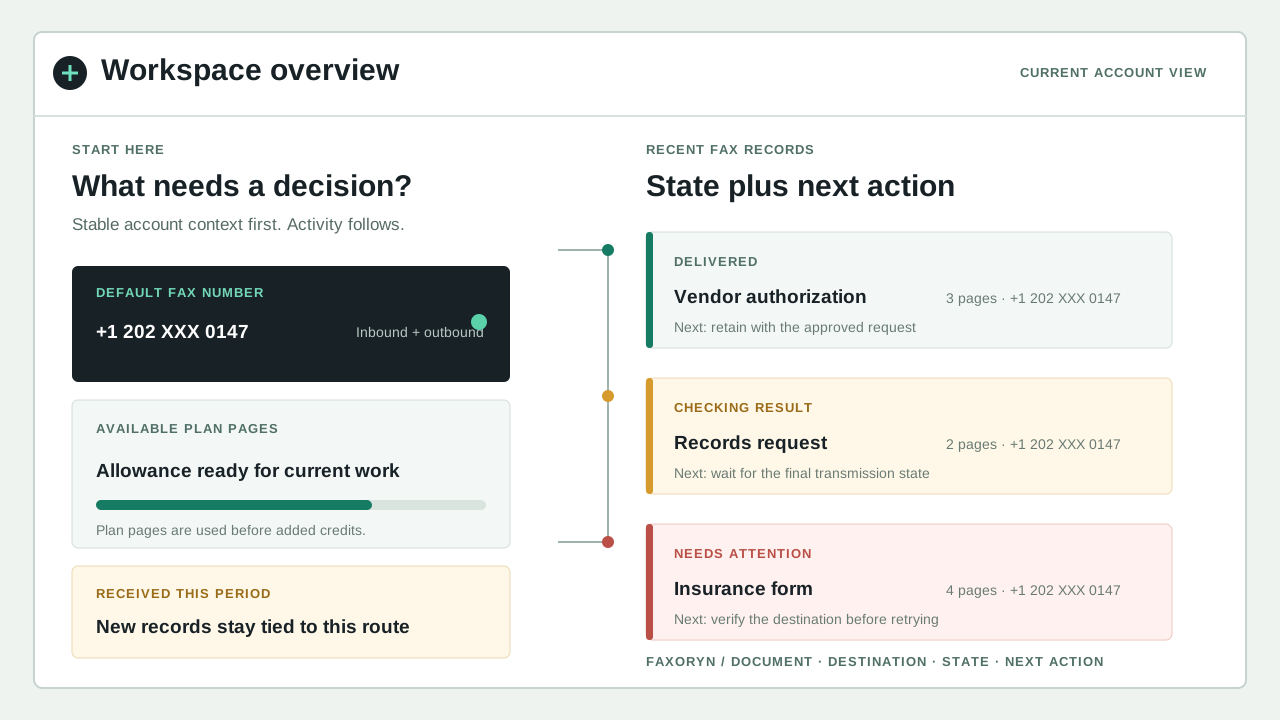
See the workspace
These illustrations use sample data to explain the product without exposing customer documents or account records.
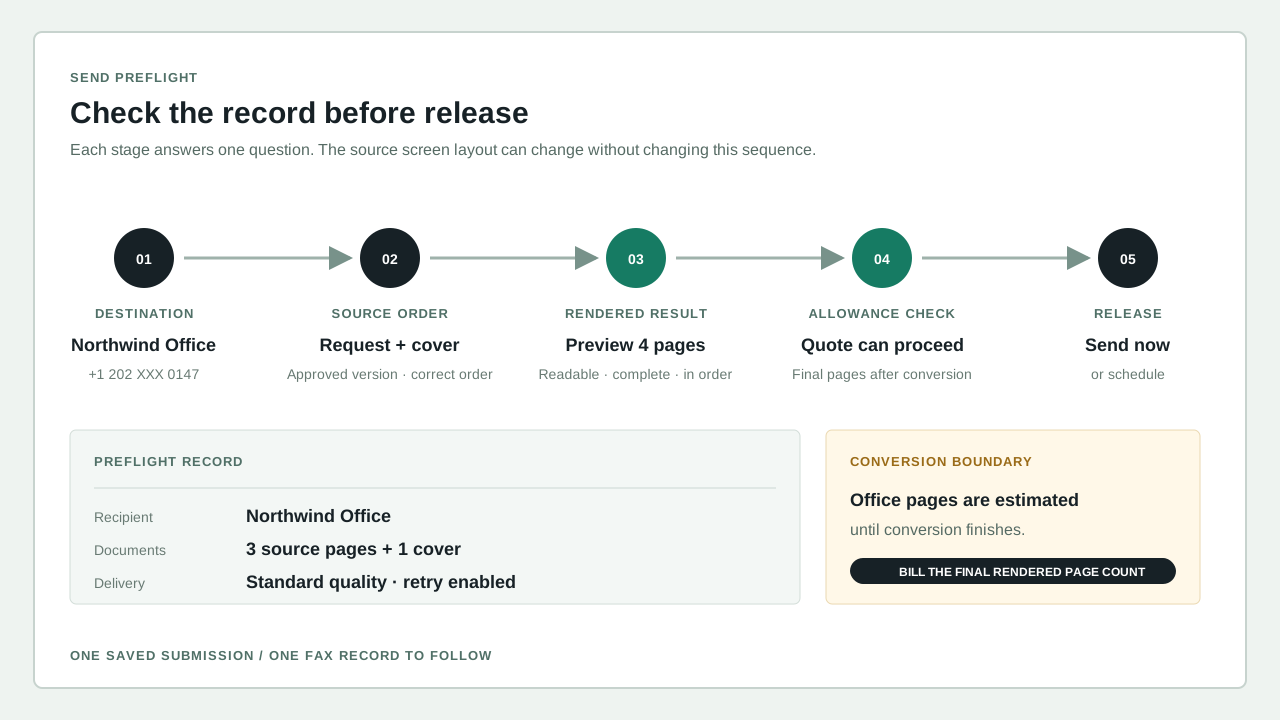
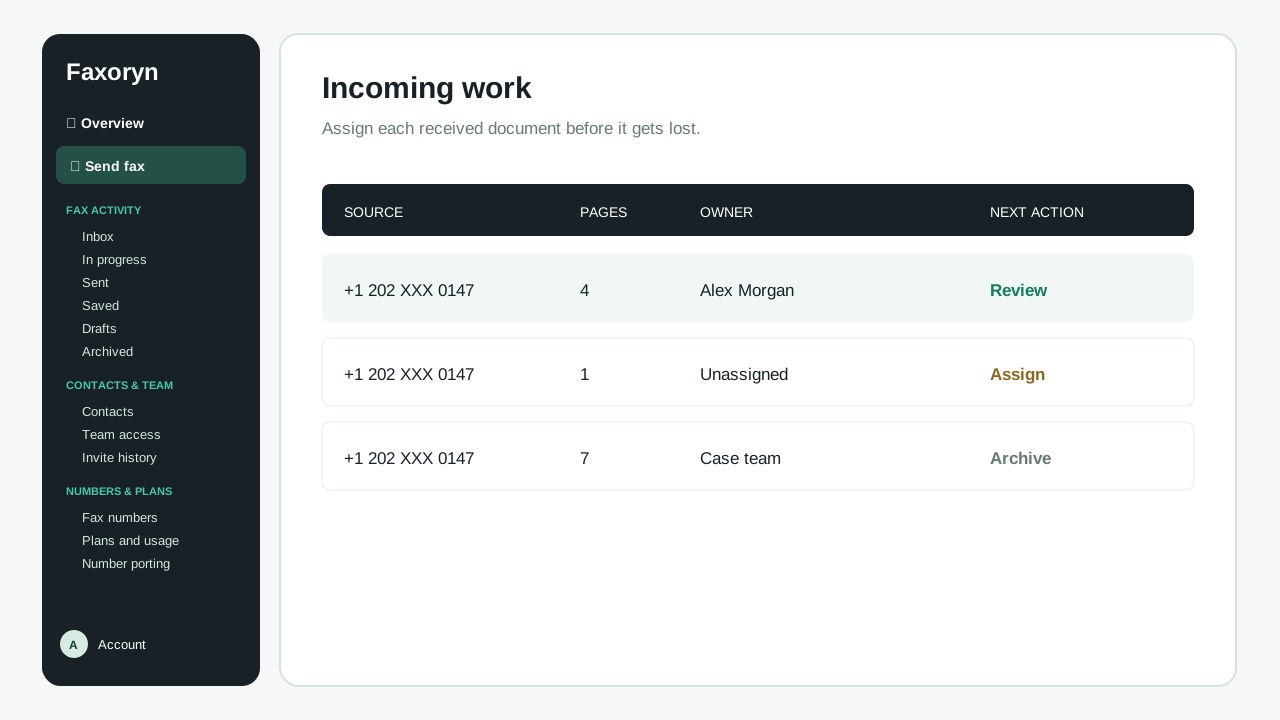
FROM FILE TO FINAL STATUS
Enter the complete destination, add supported documents, arrange their order, and include a cover or note when the recipient needs routing context. Preview the pages before anything leaves the workspace.
Confirm the destination and outbound number, then follow waiting, sending, delivered, or failed status. Sending starts the process. The final status tells you the result.
Keep source files, timestamps, delivery results, retry history, and ownership available for follow-up. Inbox, Outbox, Sent, Starred, Labels, and Trash keep related fax activity together.
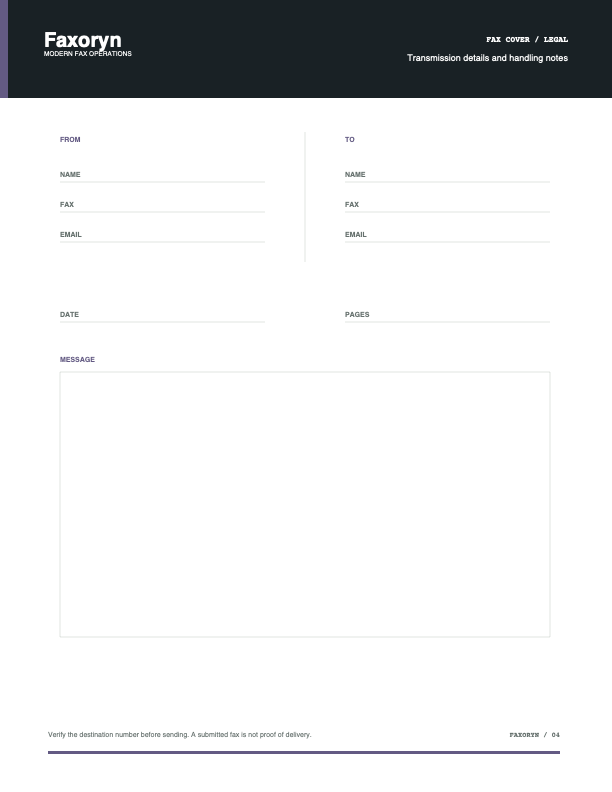
PREPARE THE COVER
A fax cover is part of the working document. It can identify the sender and recipient, state the page count, name the intended owner, and carry handling instructions without changing the source file.
The Faxoryn cover library includes twelve letter-size PDF templates across business, confidential, clinical, legal, finance, claims, records, government, international, project, priority, and correspondence workflows. Download a blank template or add cover details in the send flow, then verify that the total page count includes every page the recipient should receive.
BUILT FOR REPEATED WORK
THE COMPLETE WORKSPACE
Keep preparation, sending, incoming faxes, organization, numbers, and account controls together in one workspace.
Combine supported files, add a cover page, review recipients, and create one traceable fax.
See the web workflow →Use assigned fax numbers, unread state, downloads, and notifications to move new documents to an owner.
Manage fax numbers →Search inbox, outbox, sent, starred, labels, and trash without separating a file from its delivery state.
Review all capabilities →Maintain contacts and groups for recurring recipients while keeping the final destination visible before sending.
Organize contacts →Invite members, assign numbers, and keep shared workflows visible to the people accountable for follow-up.
Explore team controls →Select documents from connected services and route useful notifications without losing the workspace record.
View integrations →THE BROWSER IS THE WORKSPACE
The complete Faxoryn experience runs in a current browser on desktop, laptop, tablet, or phone. There is no fax machine, modem, or dedicated phone line to install. Sign in to prepare documents, review the destination, inspect received faxes, and follow delivery status from the same account.
Connected email, storage, Slack, and API workflows can shorten a specific step, but they do not replace the fax record in your workspace. The current product does not promise separately distributed native Android, iOS, macOS, or Windows applications until they are officially released and supported.
WORK SHAPES THE SYSTEM
Teams may handle very different records, but the questions stay concrete: who sent it, who received it, what happened, and what must happen next.
Explore team workflowsHave a team or special requirements? Talk to sales →
CONNECTED, NOT FRAGMENTED
Choose a connection by the work it removes. Storage integrations supply source files, email sends from an address you authorize, Slack sends you updates, and the API supports automated workflows. In every case, the fax record and final status in Faxoryn remain the source you can check.
INTERNATIONAL DESTINATIONS
International faxing depends on the country calling code, a complete destination number, carrier route availability, and your current plan or credits. Store the destination in international format and remove the domestic trunk prefix where the country's dialing rules require it.
Before a recurring workflow depends on a route, send one sample fax, confirm the fax pages, and follow it to a final status. The live pricing and your account record are the final word; historical claims about country counts or universal coverage are not.
Start with the destination's country calling code, not the sender's location.
Enter the full international destination and remove punctuation that obscures review.
Confirm current availability, page treatment, and the final delivery result.
EVIDENCE INSTEAD OF BADGES
The previous platform displayed awards, review scores, customer counts, and attributed testimonials that the new company cannot inherit. Faxoryn replaces that borrowed social proof with the delivery record you can inspect after real work.
A final status shows whether the fax was actually delivered.
Sending, delivery, and result timestamps make follow-up specific.
The file and its fax activity remain connected for review and support.
Number assignment and responsible users keep shared work attributable.
SECURITY IS A WORKFLOW PROPERTY
Faxoryn keeps account access, document preparation, delivery status, and saved results in view. Final regulatory and compliance obligations still depend on how you use the service and your own requirements.
BEFORE YOU START
No. Sending creates the fax. Use the final delivered or failed status and timestamp for follow-up.
Number porting depends on the current carrier, destination, number type, account documentation, and carrier eligibility. Review the porting workflow before ending your current service.
Business workflows can invite members and assign number access. Define ownership and notification rules before sharing recurring work.
The web workspace accepts supported document and image formats and can select files from connected services such as Google Drive. Review the final preview before sending.
START WITH ONE REAL FAX
Following it once shows more than a feature list: document quality, destination review, the delivery record, notifications, and the record your team can keep.